| Status | ||||
|---|---|---|---|---|
|
To transfer a tour to a device you have to go in the habblPortal to the section Order.
The following screenhots show yout the individual steps.

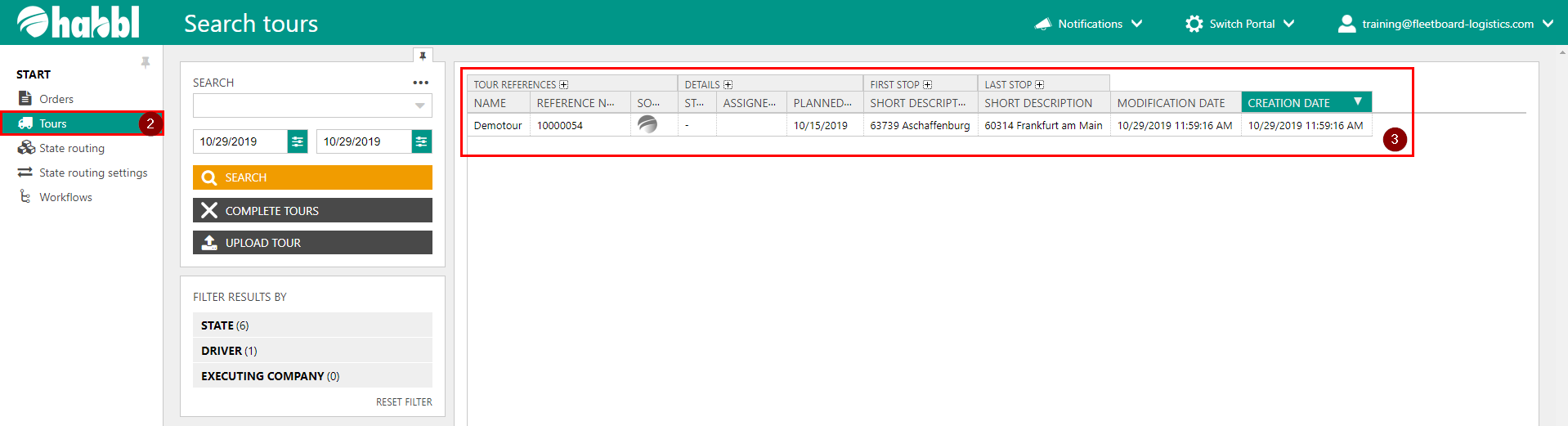
- Click on the section Order
- In the navigation area click on Tours
- Here you see the current tours. Click on a tour to get more information and to assign the tour to a device
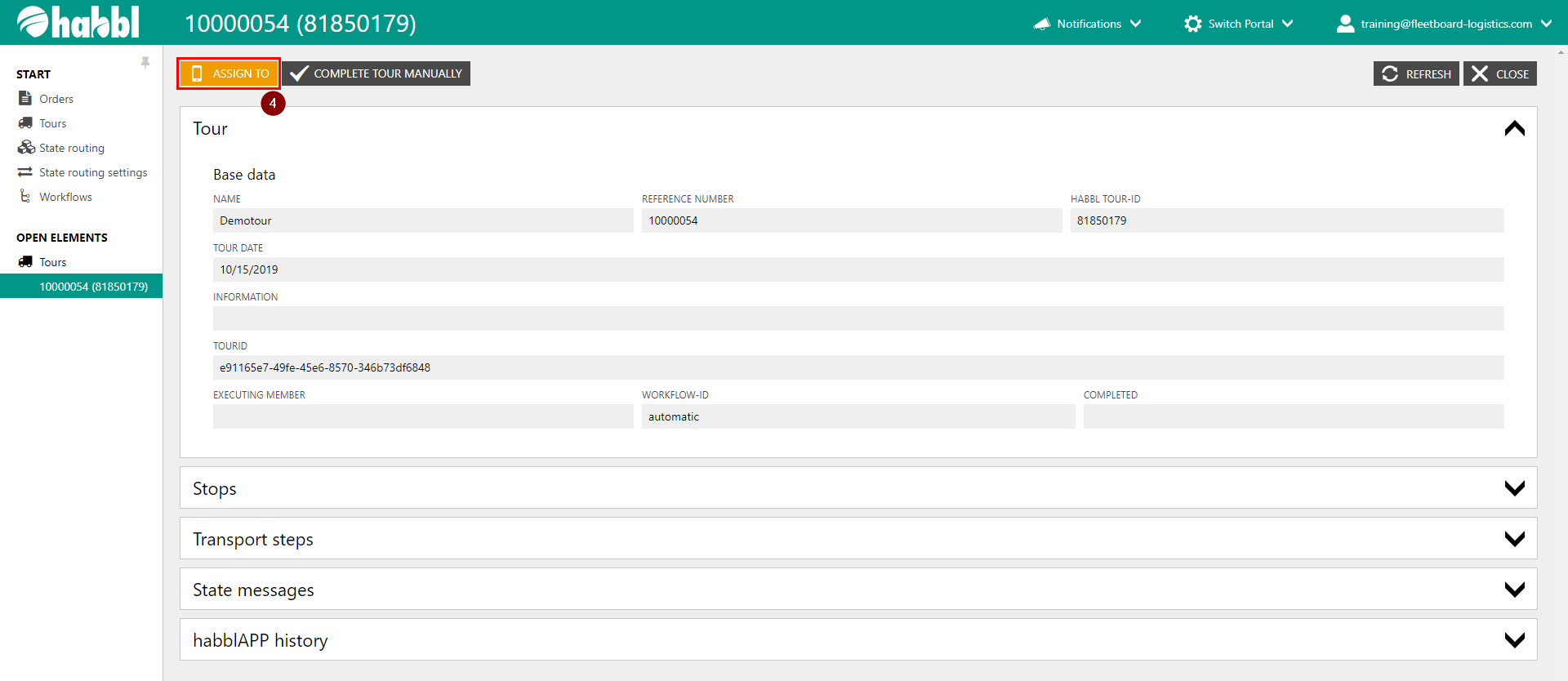
4. Click on ASSIGN TO
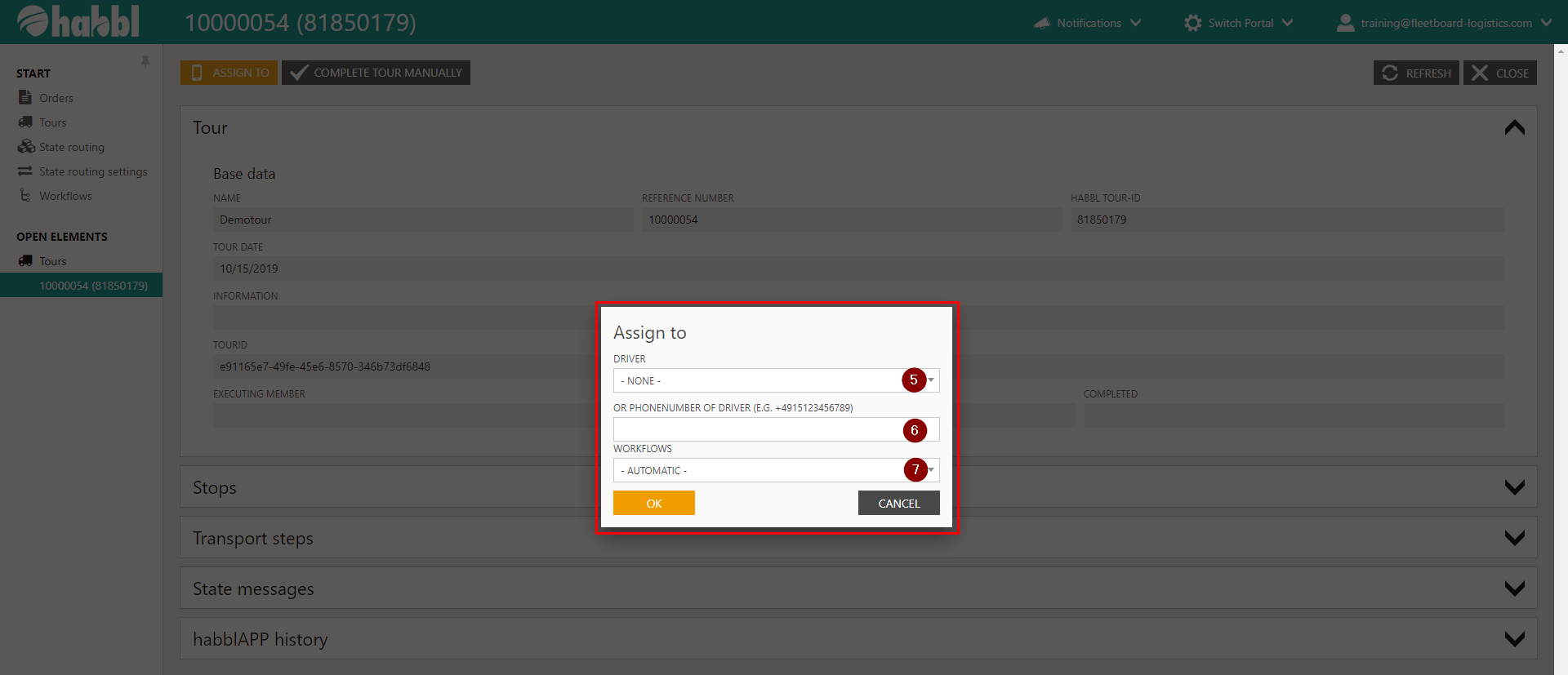
5. Choose a linked driver
6. Or type the Phonenumber of the driver
7. Select a workflow and click ok
| Tipp | ||
|---|---|---|
| ||
|

| Status | ||||
|---|---|---|---|---|
|
| Multimedia | ||||||
|---|---|---|---|---|---|---|
|