Videotutorial
| Statusview-file | ||||||||
|---|---|---|---|---|---|---|---|---|
|
To create a linkage to a driver you have to go in the habblPortal to the section Administration and send a request to the device.
The following screenshots show you the individual steps.

- Click on the section Administration
- In the sidebar on the left click on Linkages
- Choose SEND REQUEST in the search area
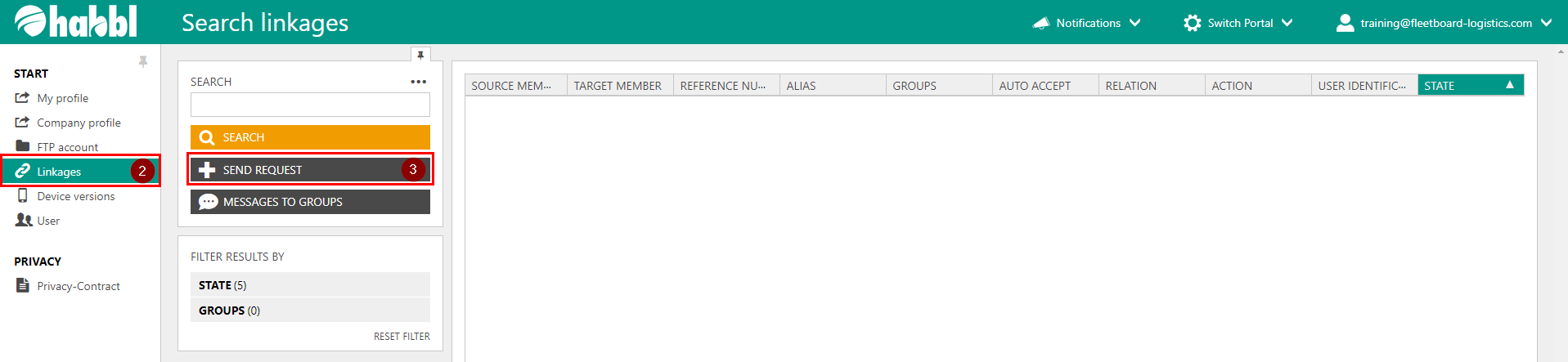
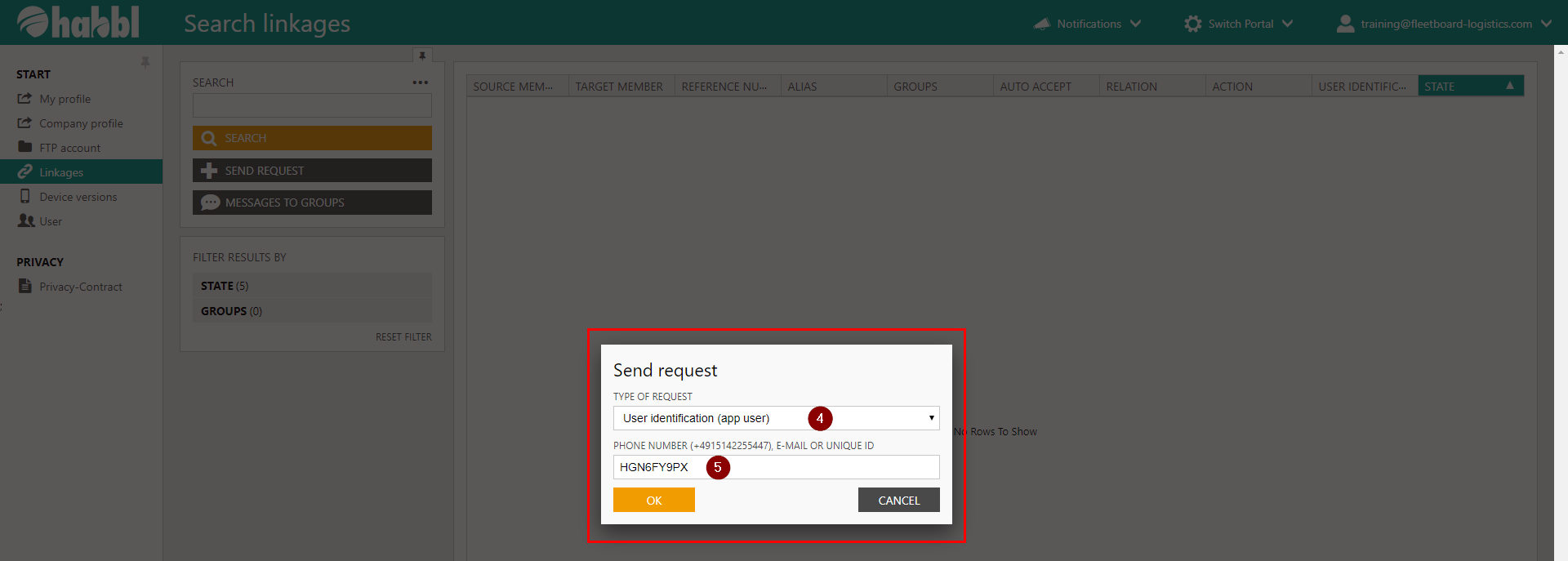
4. In the appearing dialog select User identification (app user) in the dropdown menu
5. In the second line enter your UNIQUE ID
| Info |
|---|
After you confirm your entries with OK a request will be sent to the device. |

| Info | ||
|---|---|---|
| ||
That's the result of the inquiry. |
Status colour
Yellow title Videotutorial
Here you can see the video tutorial:
Here you can see the video tutorial:
view-file| Multimedia | |
|---|---|
|
|
|