
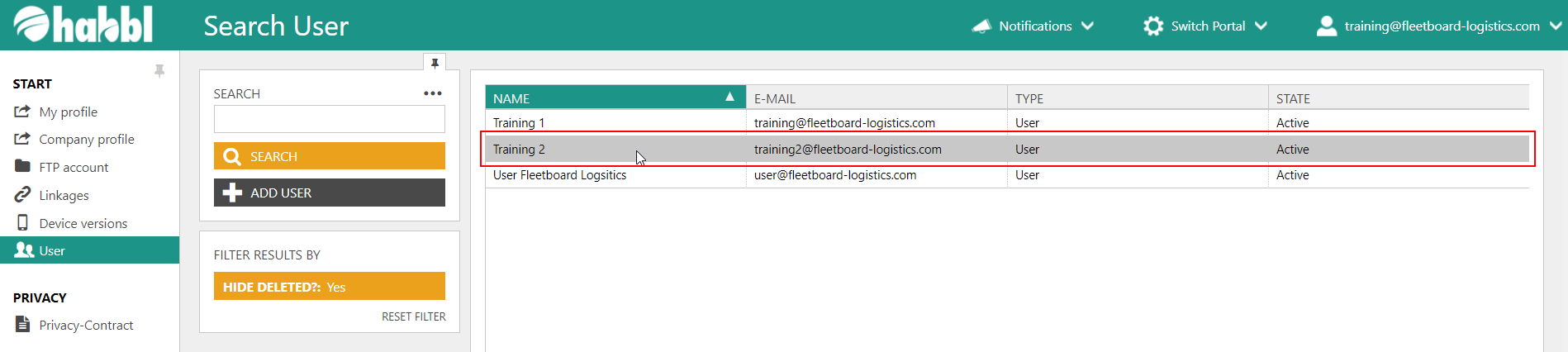
- Select the user from the user list in the user administration.
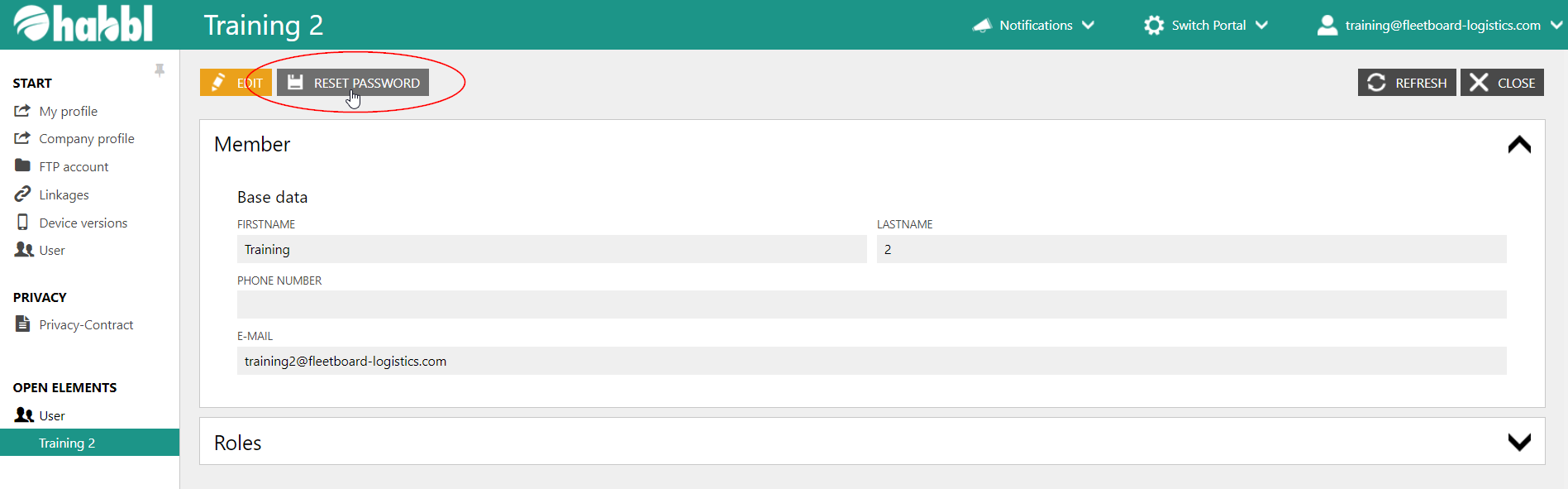
- Click on the button "RESET PASSWORD" in the upper left corner.
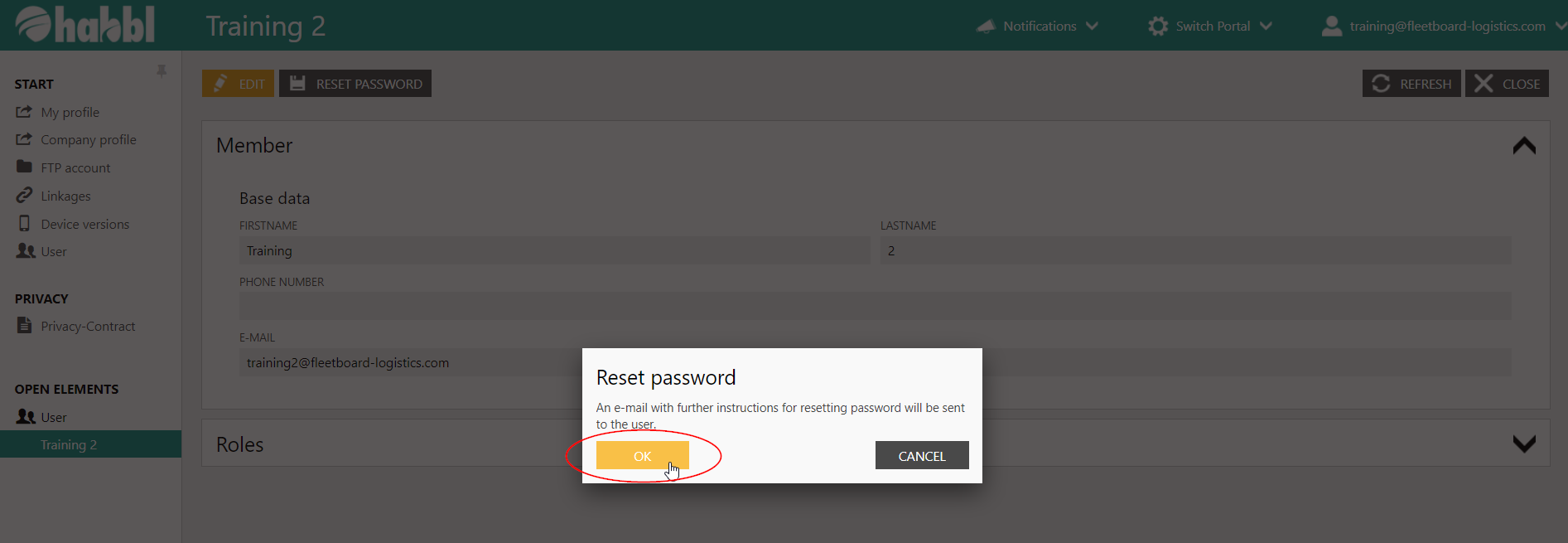
- Confirm the dialog with "OK".
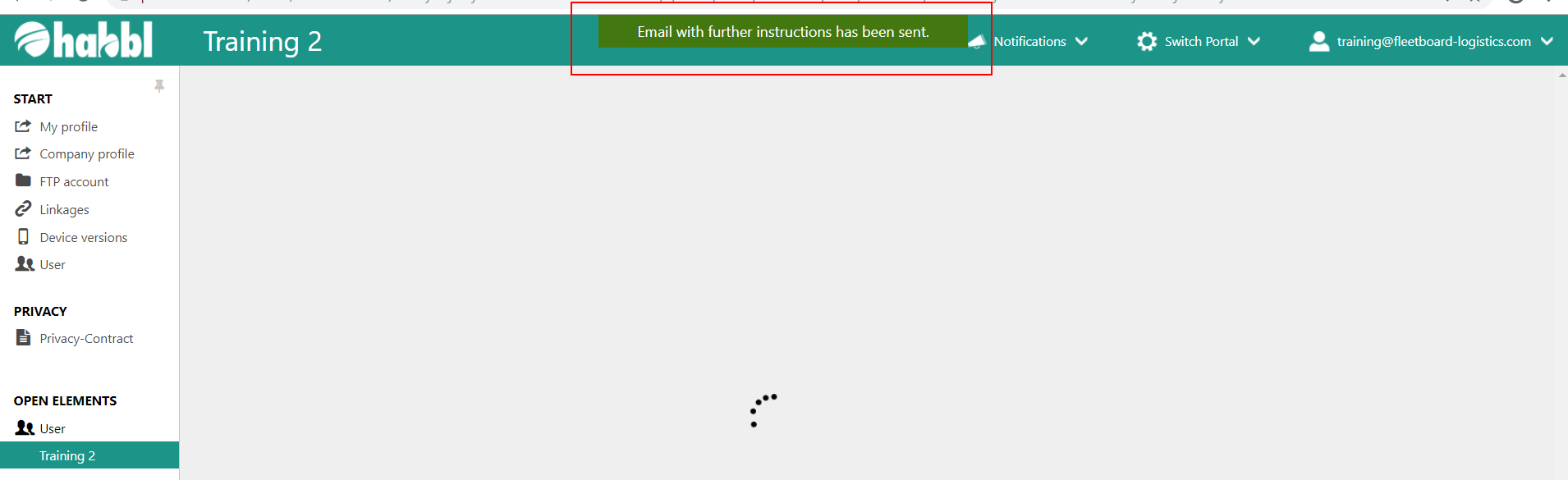
- Your action was successful if you get the notification "E-Mail with further instructions has been sent."