To transfer a tour to a device you have to go in the habblPortal to the section Order.
The following screenhots show yout the individual steps.

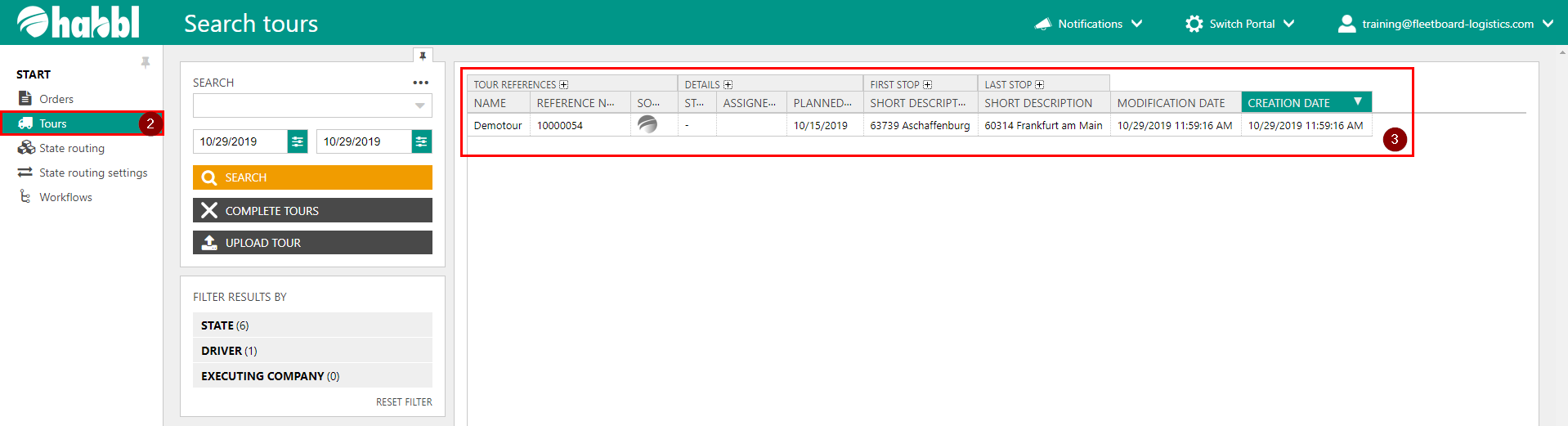
- Click on the section Order
- In the navigation area click on Tours
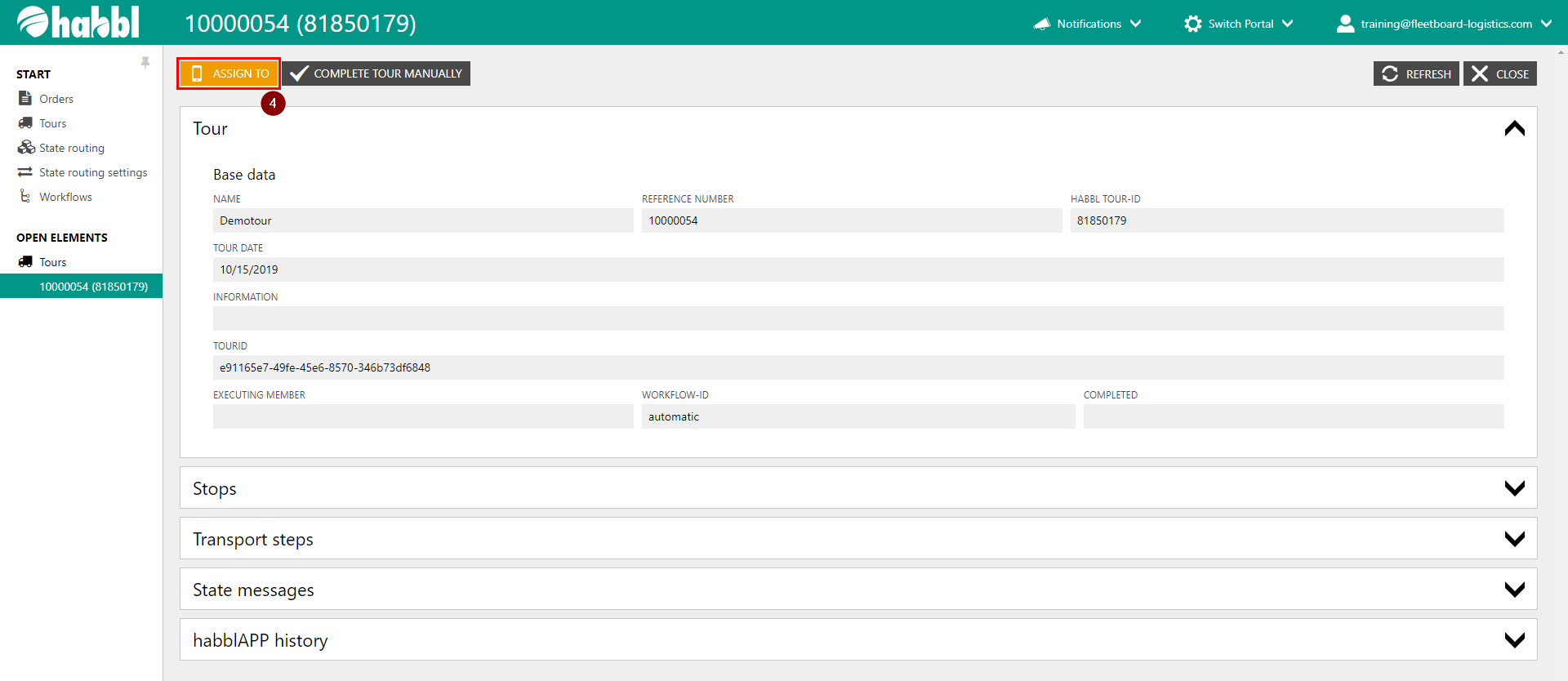
- Here you see the current tours. Click on a tour to get more information and to assign the tour to a device
4. Click on ASSIGN TO