ARTICLE
To create a linkage to a driver you have to go in the habblPortal to the section Administration and send a request to the device.
The following screenshots show you the individual steps.

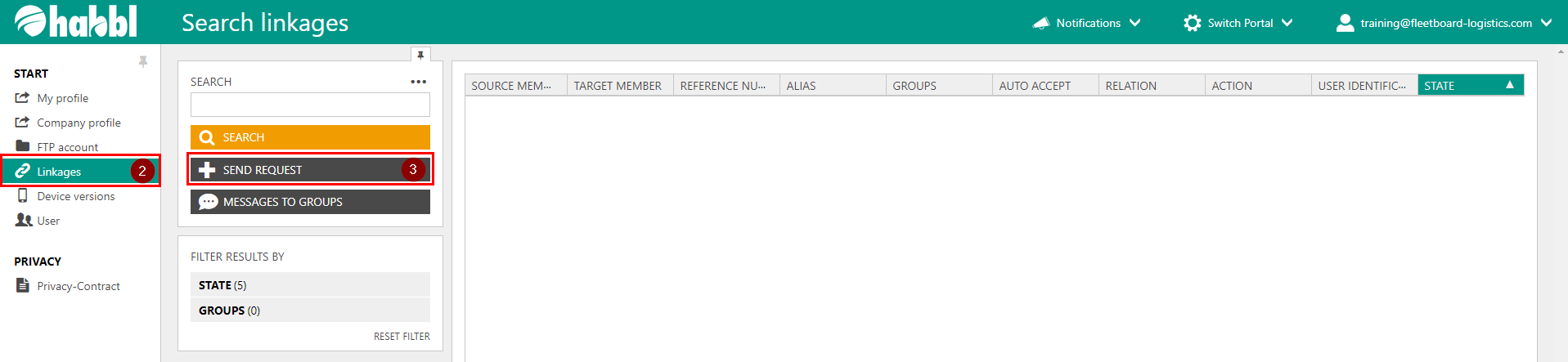
- Click on the section Administration
- In the sidebar on the left click on Linkages
- Choose SEND REQUEST in the search area
4. In the appearing dialog select User identification (app user) in the dropdown menu
5. In the second line enter your UNIQUE ID
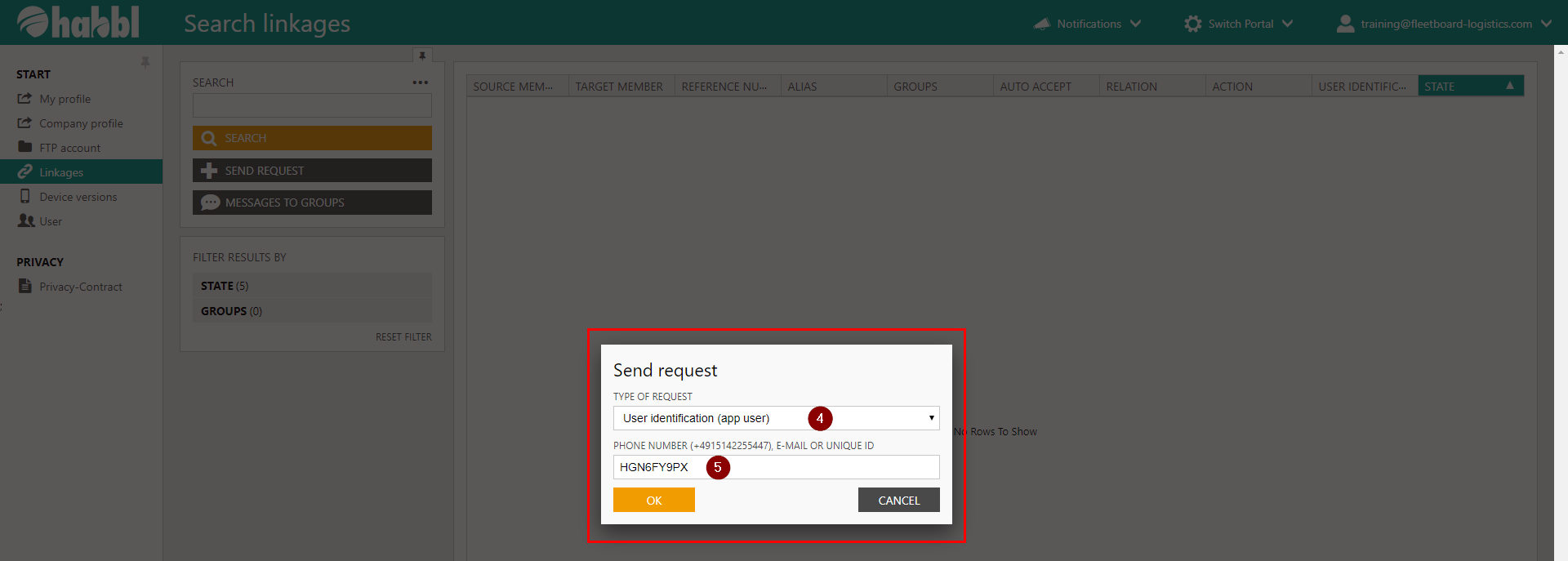
After you confirm your entries with OK a request will be sent to the device.

Result
That's the result of the inquiry.
VIDEOTUTORIAL