ARTICLE
Notice
Please consider that no user can change or extend his own roles. If you need your roles to be extended or changed please contact the administrator for habbl in your company or contact the Fleetboard Logistics Team to get proper support. You can reach our Support Team via the Fleetboard Logistics Service Desk (support.habbl.com) or an email to support@habbl.com.
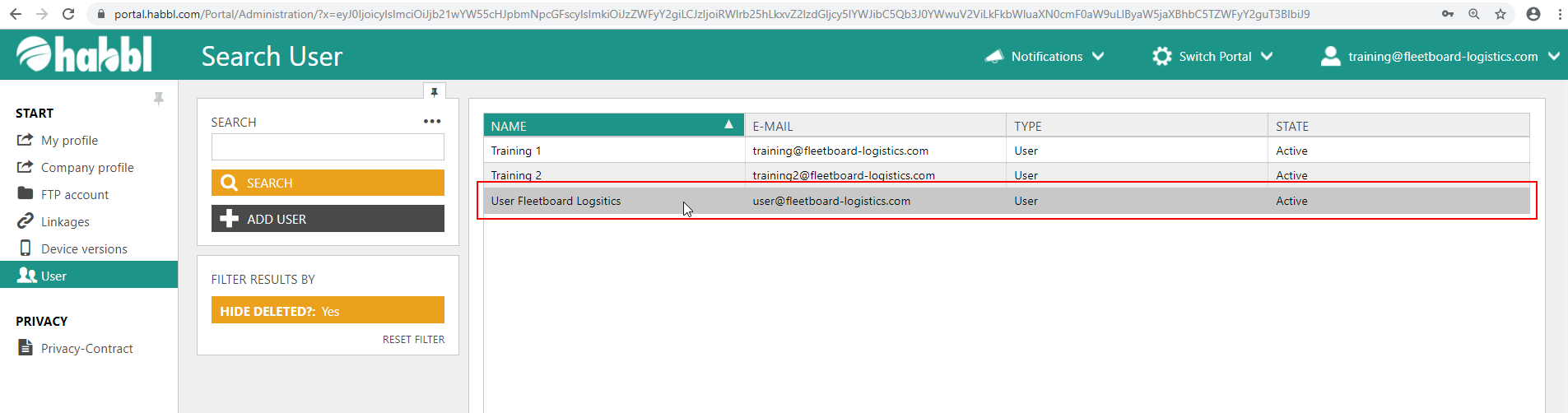
- Select the user whose roles are to be changed
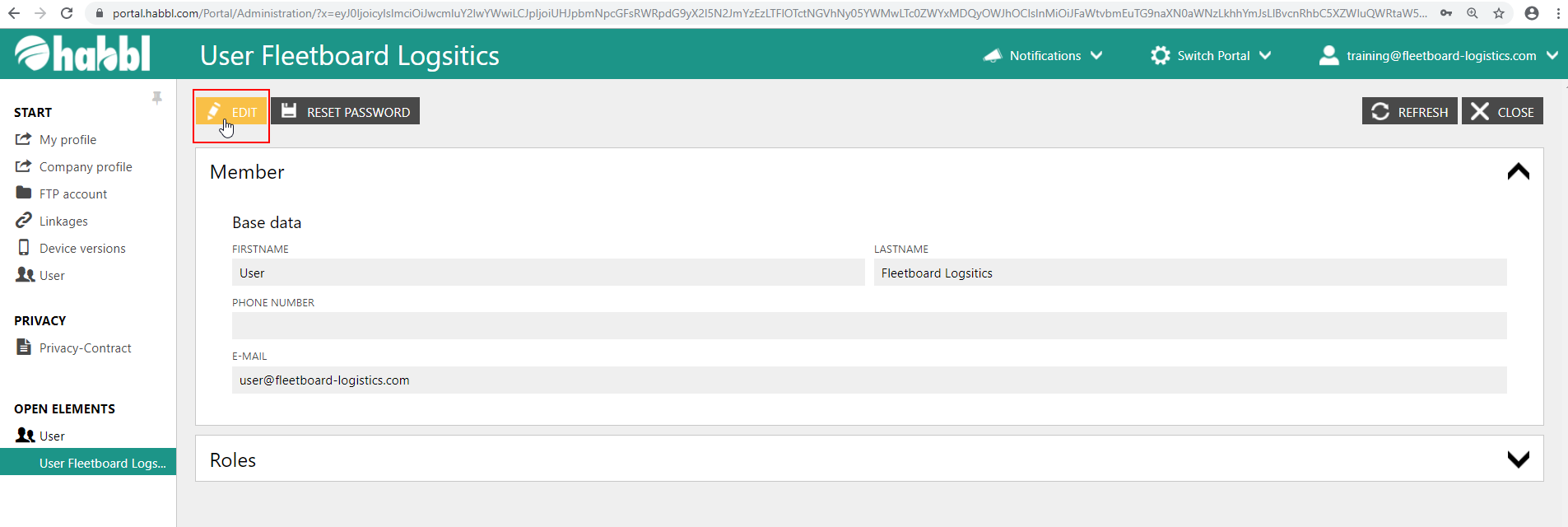
- Click the "EDIT" button in the upper left corner
- In the field of roles, a range of different check boxes with specific roles is available
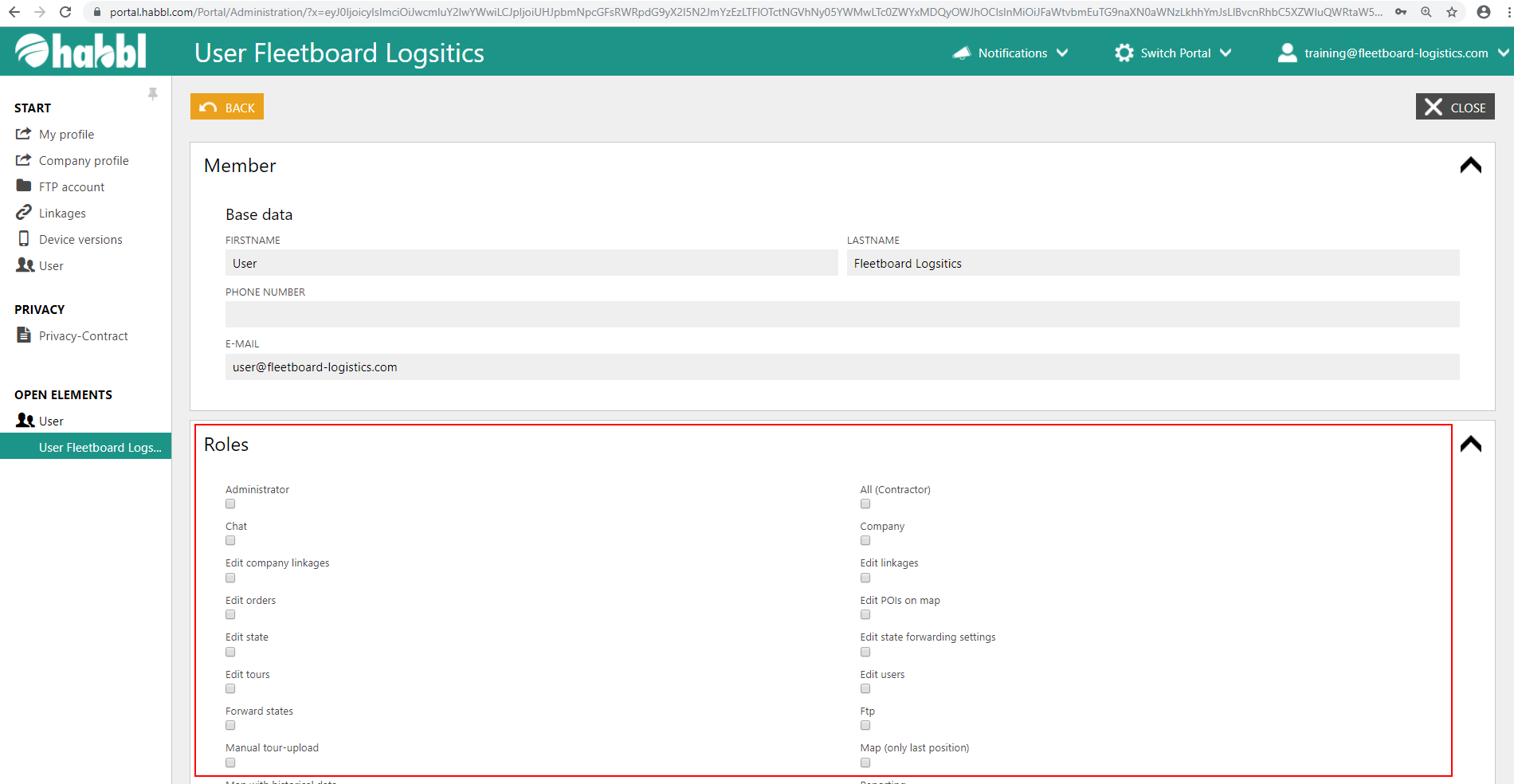
- Select the roles that the user is to receive by checking the boxes
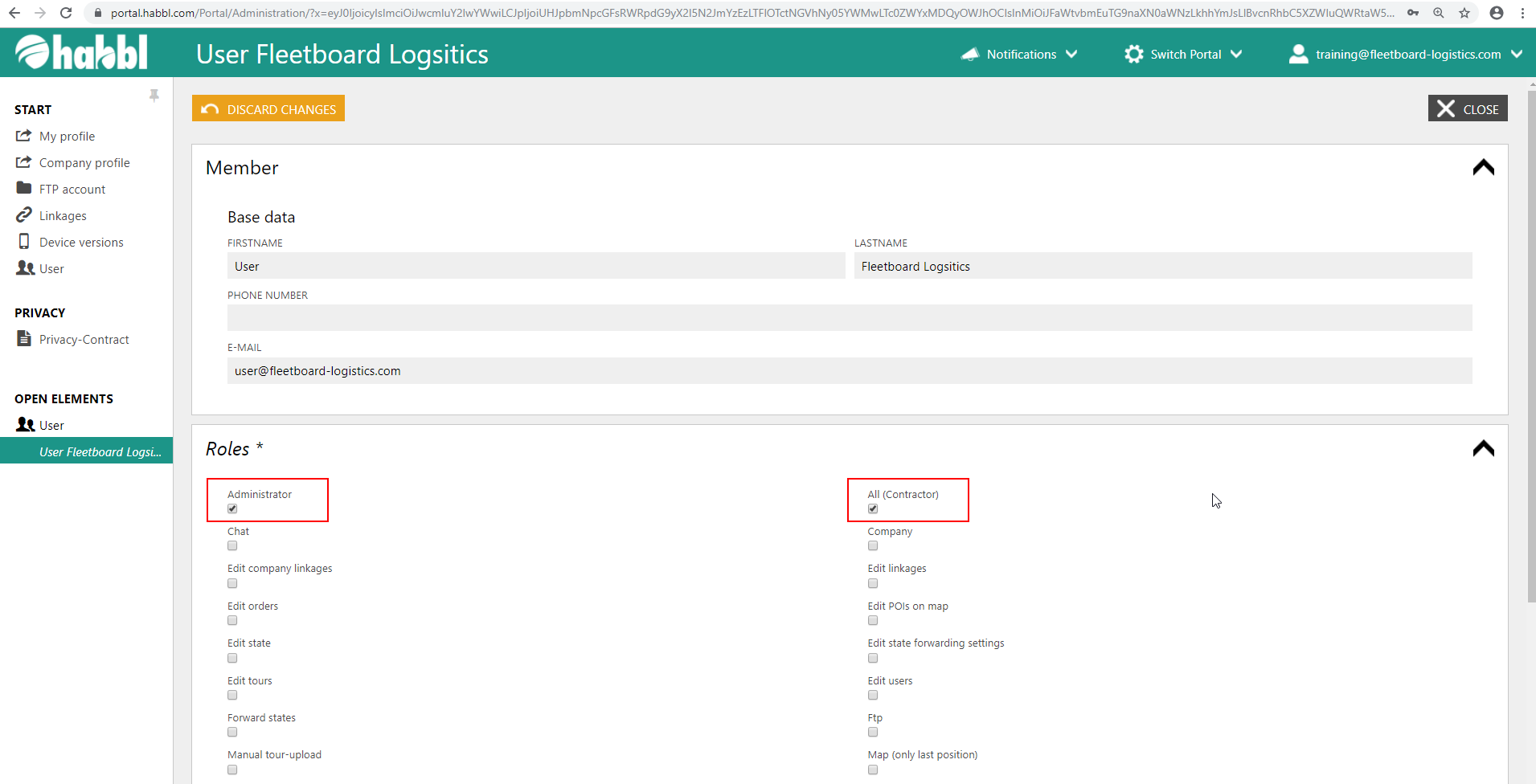
Available Roles
The following is an overview of the available roles. This table is updated continuously, as the rights management in habbl is constantly extended.
| Administrator | Administration rights in the portal. |
|---|---|
All (Contractor) | Gives the user all rights of an Contractor. With this Checkbox you can set all roles which you can find below. |
| All (Customer) | Gives the user all rights on an Customer. He can read orders and see events in the state monitor, but cannot create orders or workflows. |
All (Carrier) | Gives the user all rights on an Carrier. He can execute tours of an contractor, see events in the state monitor, manage his drivers and monitor them on the map, but cannot create orders or workflows. |
| Chat | The user is able to write and receive text messages. |
Company | This right is neccessary for any company account. |
| Edit company linkages | Permission to edit linkages between your company and others linked. |
Edit linkages | Permission to edit linkages between your company and linked drivers. |
| Edit orders | Permission to edit orders. |
Edit POIs on map | Permission to edit Points of Interest on the map. That means create new, delete and change existing. |
| Edit state | Permission to edit states in the state chronicle. |
Edit state forwarding settings | Permission to create state forwarding settings. |
| Edit tours | Permission to edit tours. |
Edit users | Permission to edit users. That means to create new users and change e. g. the roles of existing. |
Manual tour-upload | Permission to manually upload tour/order files within the habblPORTAL insted of using the access via the FTP-Account on the server. |
| Map (only last position) | The user can only see the last GPS Position of a vehicle / driver / device, not the hole lane. |
Map with historical data | The user can see all historical GPS data of a vehicle / driver / device, including the exact lane. |
| Reporting | The user has access to the reporting section. |
Schedule orders | Permission to assign orders. |
| Schedule tours | Permission to assign tours. |
Show linkages | Permission to read (see) linkages to other companies and drivers. |
| Show orders | Permission to read (see) orders. |
Show state forwarding settings | Permission to read (see) state forwarding settings. |
| Show states | Permission to read (see) states in the state chronicle. |
Show tours | Permission to read (see) tours. |
| State monitor | The user has access to the state monitor section. |
Workflow | The user has access to the workflow section. That means create new workflows as well as change and delete existing ones. |