| Status | ||||
|---|---|---|---|---|
|
To accept a request you have to go in the habblPortal to the section Administration
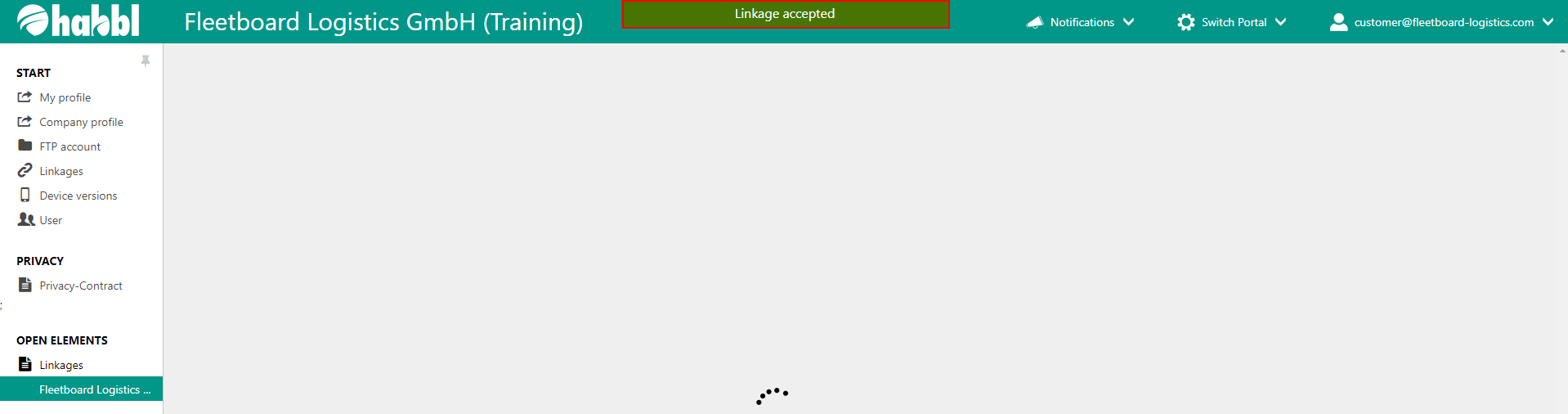
The following screenshots show you the individual steps.

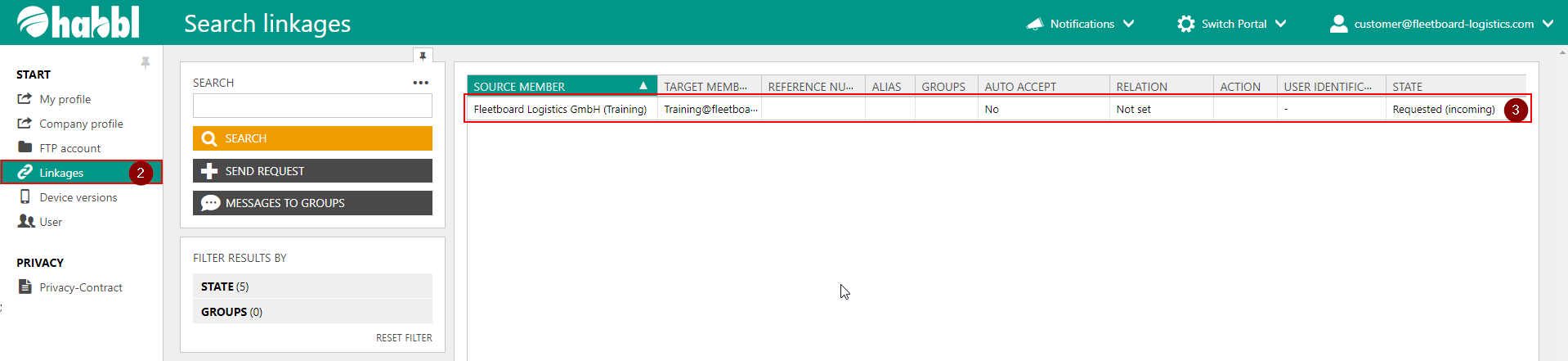
- Click on the section Administration
- In the sidebar on the left click on Linkages
- In the middle area you can see all linkages and enquiries. Click on the incoming request.
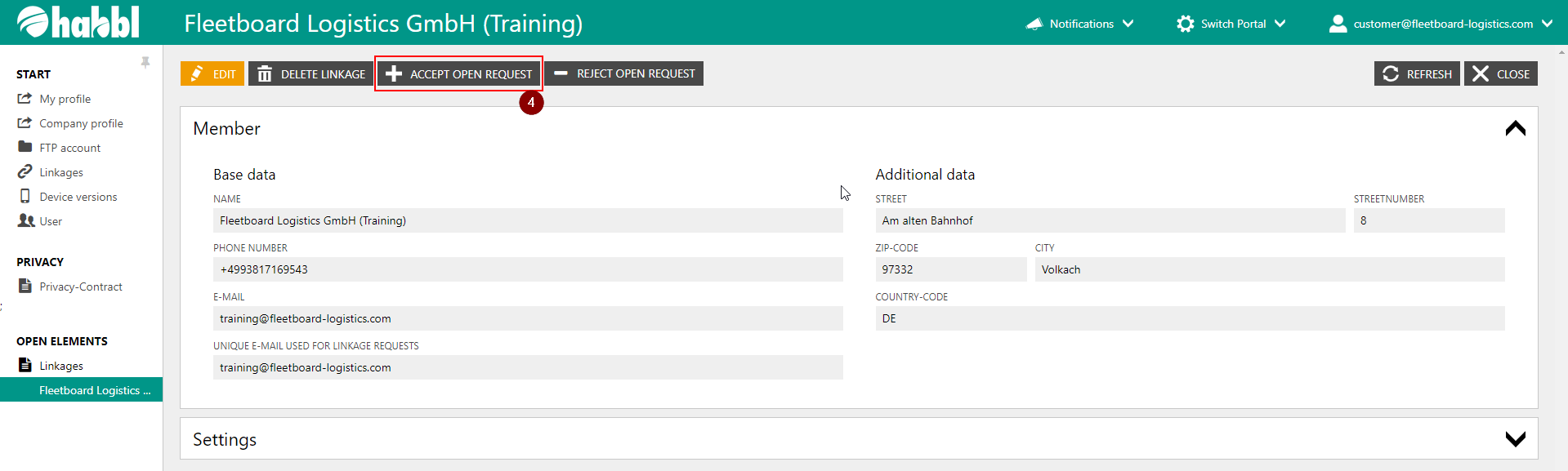
4. Here you can see further information and you have the possibility to accept or reject the request.
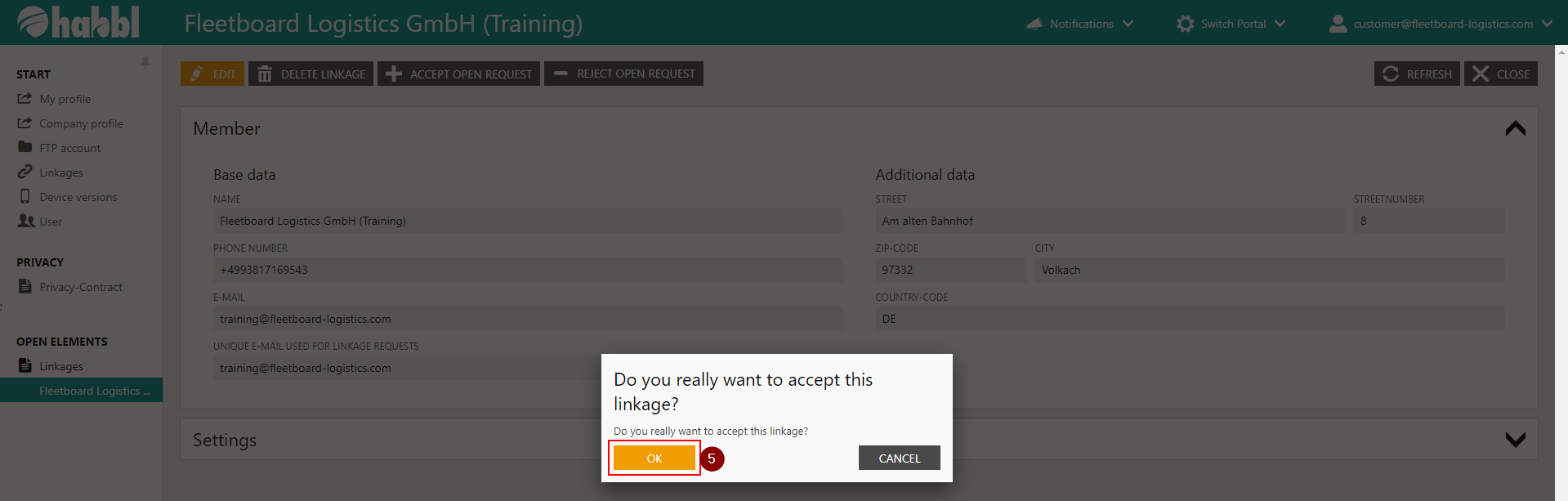
5. In the new window click OK to accept the request
| Tipp | ||
|---|---|---|
| ||
|
| Status | ||||
|---|---|---|---|---|
|
| Multimedia | ||||||||
|---|---|---|---|---|---|---|---|---|
|