ARTICLE
Notice
Please consider that no user can change or extend his own roles. If you need your roles to be extended or changed please contact the administrator for habbl in your company or contact the Fleetboard Logistics Team to get proper support. You can reach our Support Team via the Fleetboard Logistics Service Desk (support.habbl.com) or an email to support@habbl.com.
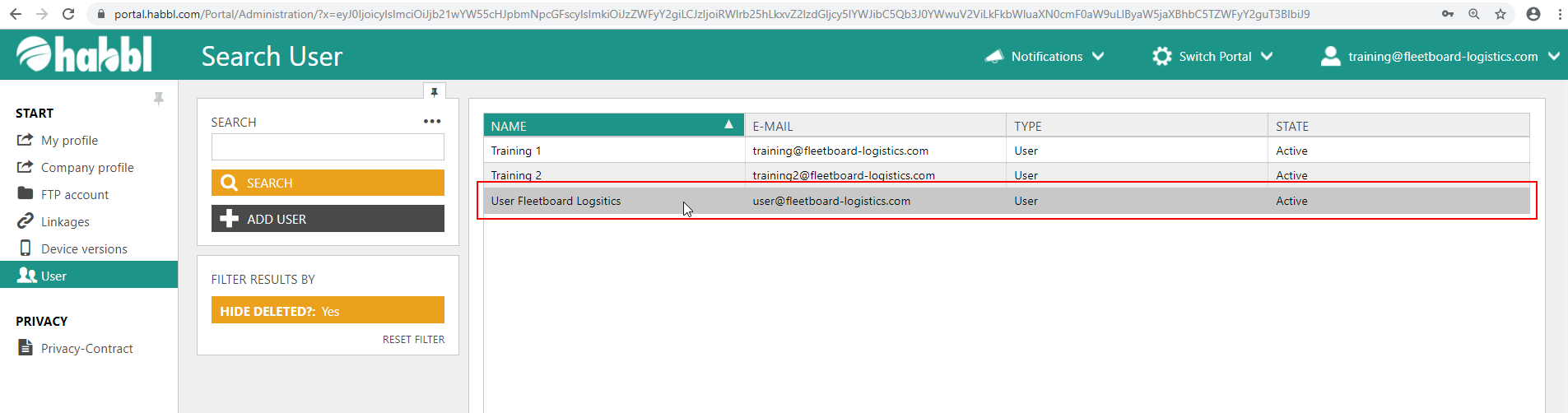
- Select the user whose roles are to be changed
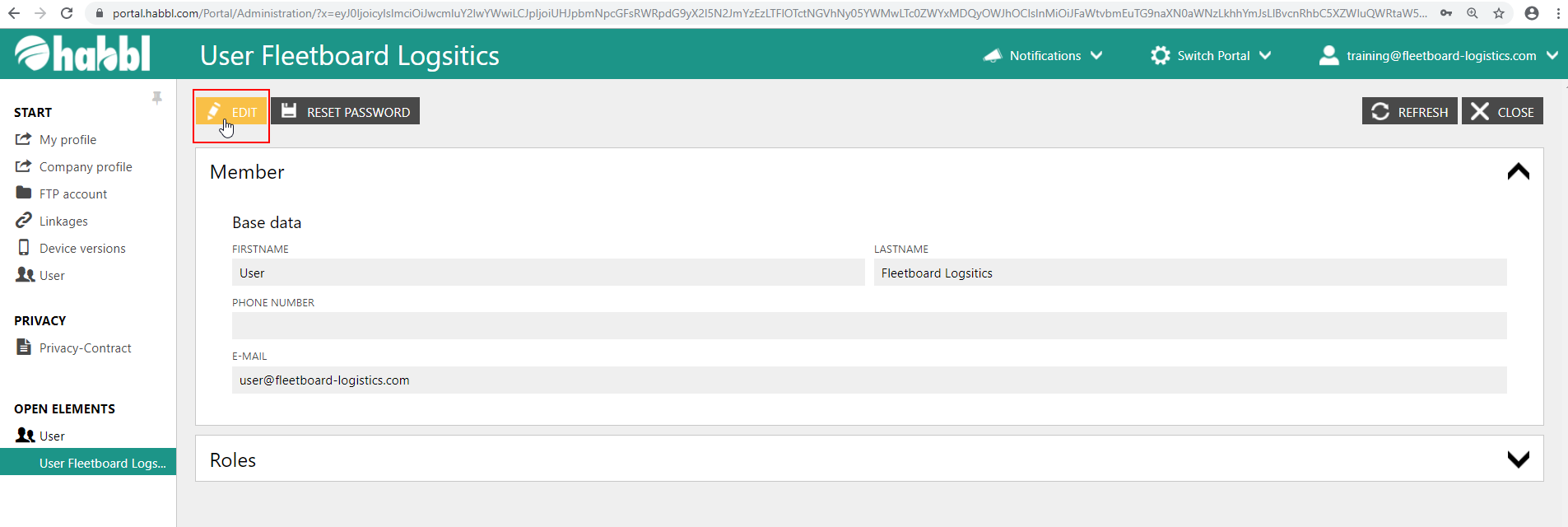
- Click the "EDIT" button in the upper left corner
- In the field of roles, a range of different check boxes with specific roles is available
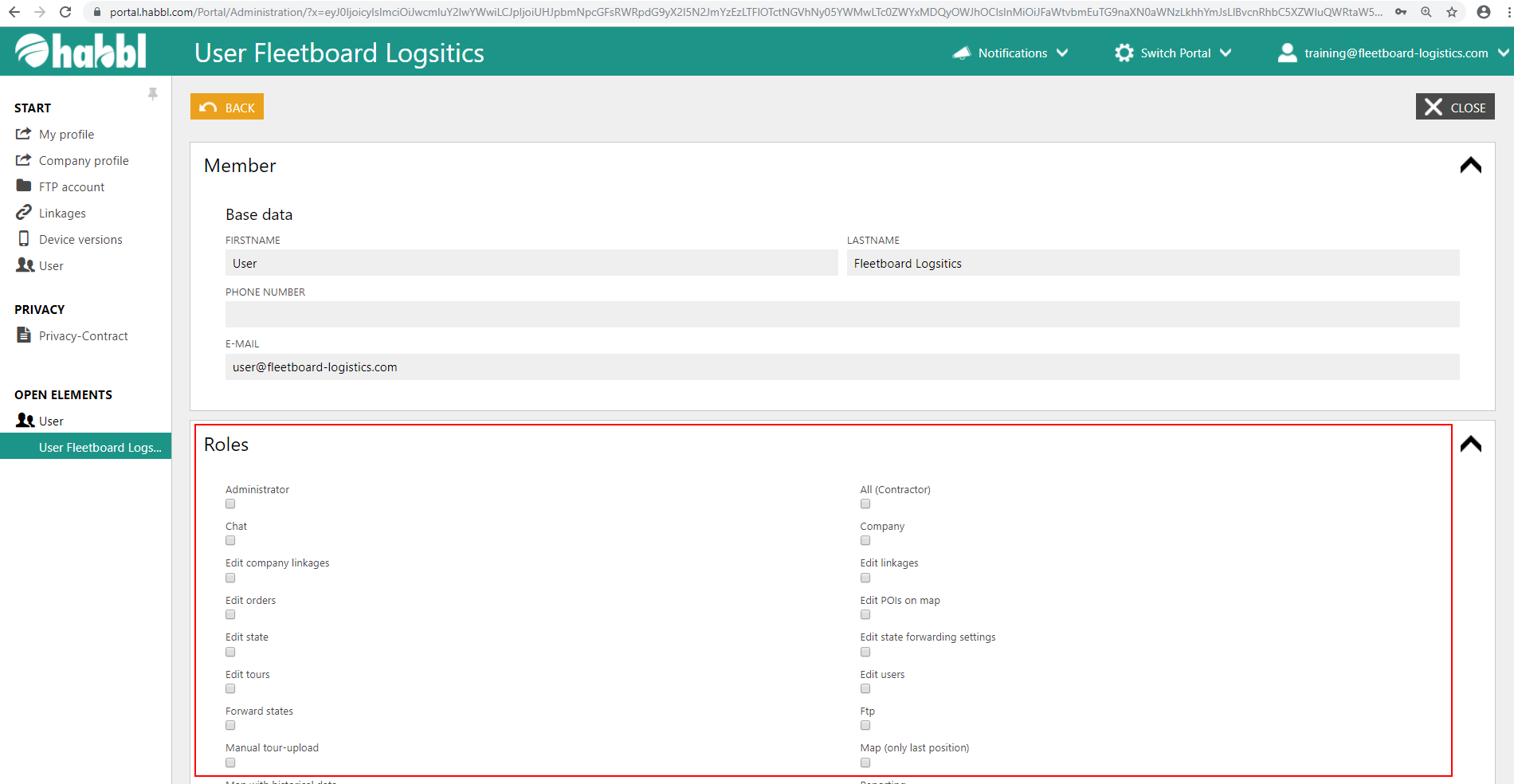
- Select the roles that the user is to receive by checking the boxes
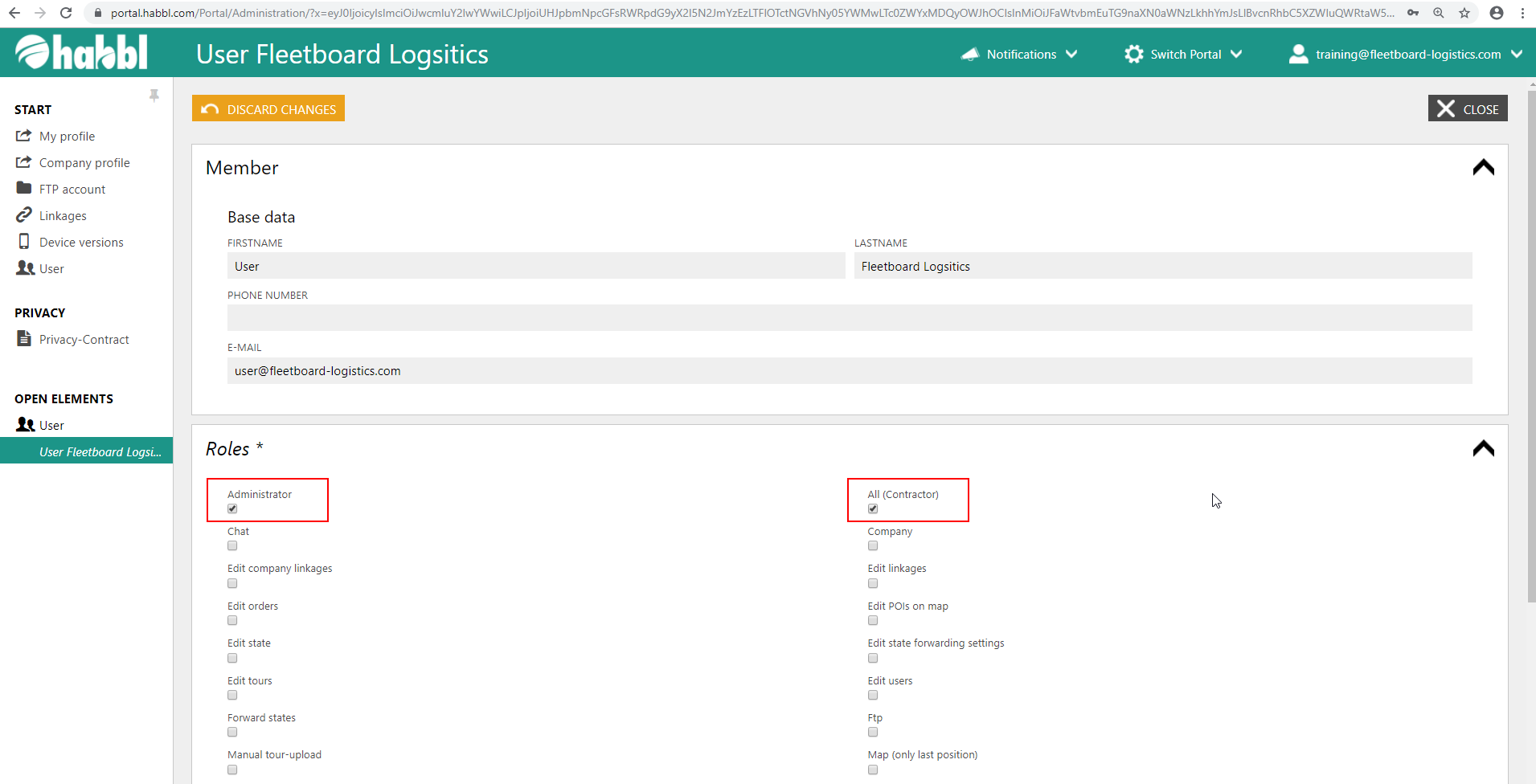
Available Roles
The following is an overview of the available roles. This table is updated continuously, as the rights management in habbl is constantly extended.
| Administrator | Administration rights in the portal |
|---|---|
All (Contractor) | |
| All (Customer) | |
All (Carrier) | |
| Chat | |
Company | |
| Edit company linkages | |
Edit linkages | |
| Edit orders | |
Edit POIs on map | |
| Edit state | |
Edit state forwarding settings | |
| Edit tours | |
Edit users | |
Manual tour-upload | |
| Map (only last position) | |
Map with historical data | |
| Reporting | |
Schedule orders | |
| Schedule tours | |
Show linkages | |
| Show orders | |
Show state forwarding settings | |
| Show states | |
Show tours | |
| State monitor | |
Workflow |